Guide 3 of 8

Home screen and menu tour

The Winzap home screen has three parts you will use every day: the purple top bar, the five tabs at the bottom and, behind the three-line icon, a menu that lists every sport and game area.

Open winzap.vip Ask us a question

Winzap home screen on a phone with the top bar, banner, game tabs and bottom tabs highlighted

What you can do here

  • Jump between Casino, Sportsbook, Home, Exchange and Login with the bottom tabs
  • Open the side menu to reach My Markets, Casino, Slots, Sportsbook, Cricket, Football, Tennis and more
  • Swipe the banner at the top to see current promotions
  • Scroll down for upcoming matches with their odds and live casino tables

Good to know

  • The match list, banners and games change all the time, so your screen will look different from ours.
  • Odds in the screenshots are only an example and are not advice.
  • The bottom bar stays on screen while you scroll, so you never lose your place.

Step by step

  1. 1

    Look at the top bar: menu icon on the left, Winzap logo in the middle, APK icon and LOGIN on the right.

  2. 2

    Tap the three-line icon to slide out the menu, then tap any area to open it.

  3. 3

    Use the bottom tabs for the five main places: Casino, Sportsbook, Home, Exchange and Login.

  4. 4

    Scroll the home screen to see upcoming matches, then live casino tables further down.

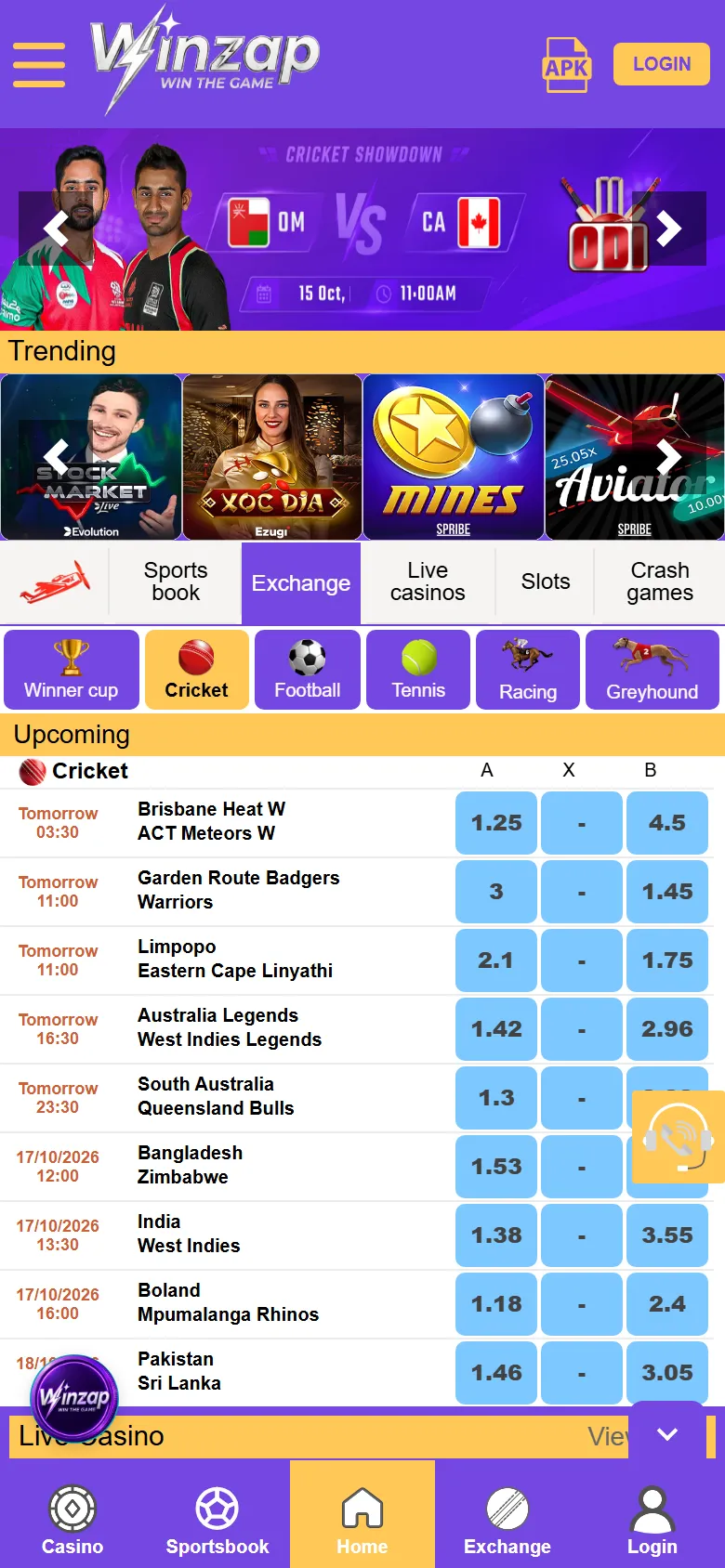
Winzap home screen on a phone with the top bar, banner, game tabs and bottom tabs highlighted1234
Enlarge

Screen 1

The home screen

At the top, a promotion banner you can swipe. Below it a strip of popular games, then rows of tabs for Sportsbook, Exchange, Live casino, Slots and Crash games, followed by sport filters such as Cricket, Football and Tennis.

Under those you will find the upcoming matches with their Back and Lay odds.

  1. 1Banner: swipe or tap the arrows for more offers
  2. 2Area tabs: Sportsbook, Exchange, Live casino, Slots, Crash games
  3. 3Sport filters
  4. 4Bottom tabs: Casino, Sportsbook, Home, Exchange, Login
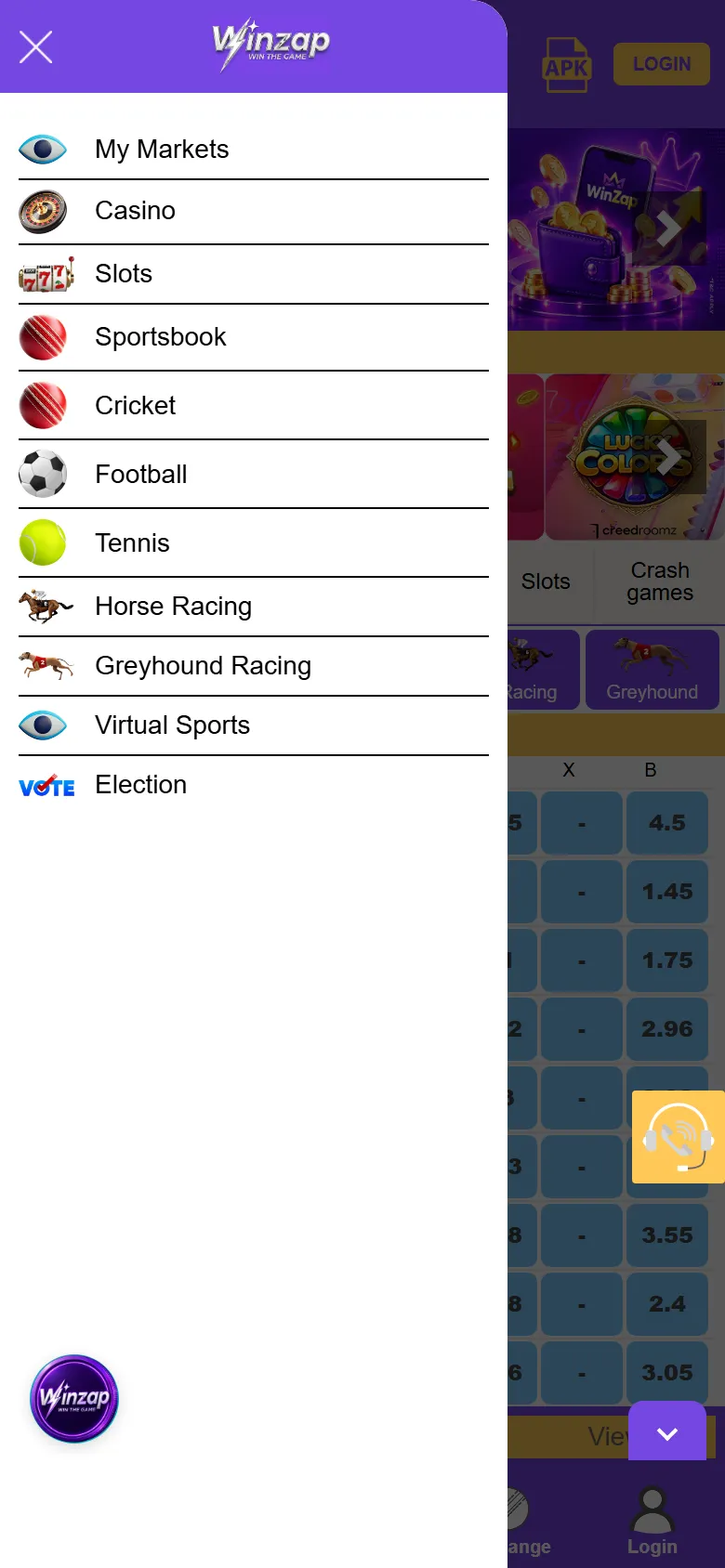
Winzap side menu on a phone with the list of areas highlighted1234
Enlarge

Screen 2

The side menu

Tap the three-line icon and the menu slides out from the left. It lists My Markets, Casino, Slots, Sportsbook, Cricket, Football, Tennis, Horse Racing, Greyhound Racing, Virtual Sports and Election.

Tap any name to jump straight there.

  1. 1My Markets: your own markets
  2. 2Casino and Slots
  3. 3Sportsbook, Cricket, Football and Tennis
  4. 4Racing, Virtual Sports and Election
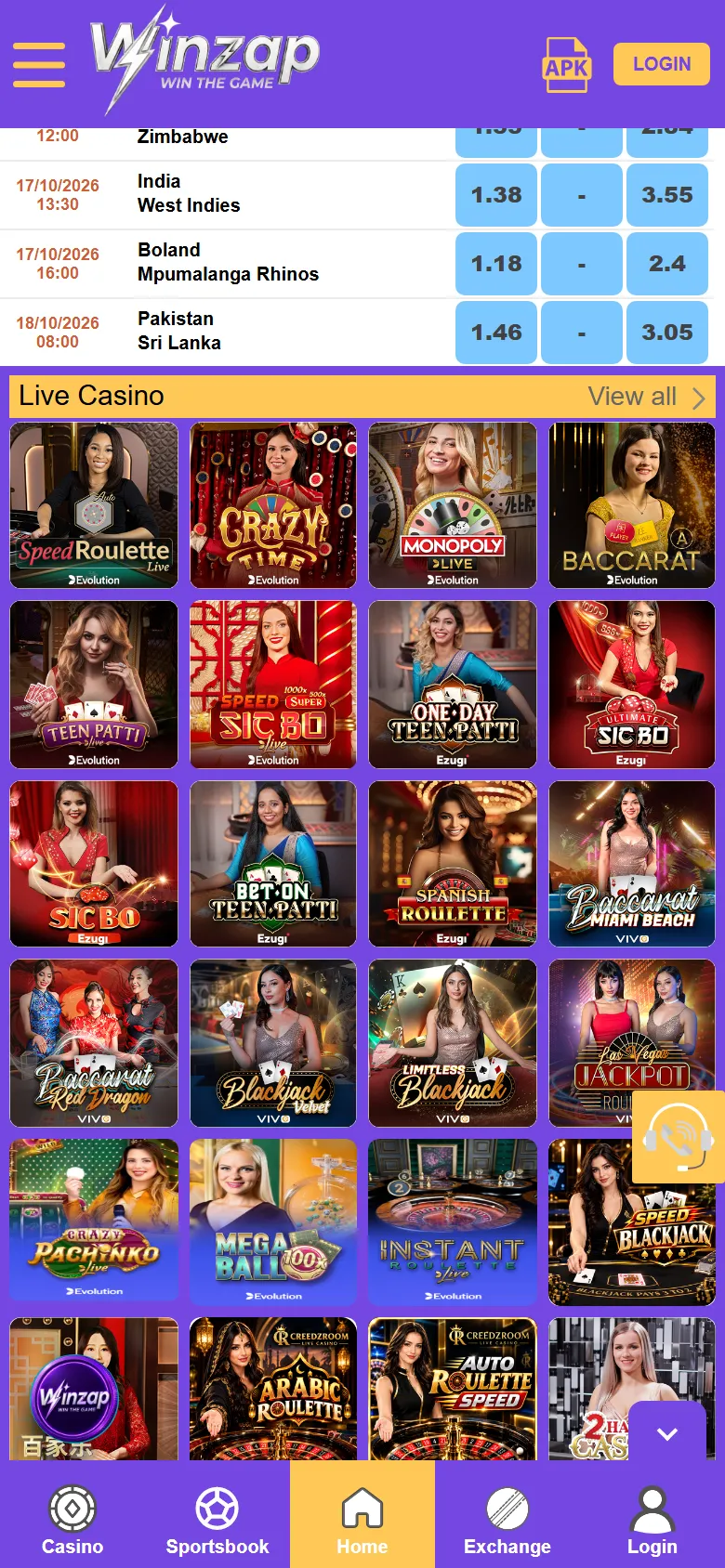
Winzap home screen scrolled down on a phone showing the Live Casino row
Enlarge

Screen 3

Scroll down: live casino on the home screen

Keep scrolling and the home screen turns into a shelf of live casino tables with a View all link. Tap View all to see the whole live casino page.

Screenshots show winzap.vip at phone size (the Android app points to the same site). Matches, odds and offers change all the time.

FAQ

Questions about this part of the app

What are the five tabs at the bottom?

Casino, Sportsbook, Home, Exchange and Login. They stay in place while you scroll.

Where is the menu?

Tap the three-line icon at the top left of the screen.

Why does my home screen look different from the screenshot?

Banners, matches and games change all the time.

Need help with App tour?

Leave your name and phone number and our team will get back to you.

Contact Us
Winzap for AndroidOfficial file from winzap.vip Get the app