Guide 4 of 8

Exchange and cricket on your phone

Winzap’s exchange is built around cricket. In the app the match list shows every game with three price boxes: one for each team and one in the middle for a draw. The prices are blue Back prices; winzap.vip colours Lay prices pink. Tap the Exchange tab or the Cricket entry in the menu to get there.

Open winzap.vip Ask us a question

Winzap cricket page on a phone showing a list of matches with blue and pink price boxes

What you can do here

  • See upcoming and in-play cricket matches in one list
  • Read the blue Back prices for every outcome at a glance
  • Filter by sport using the strip of icons under the tabs
  • Open a match to see its markets

Good to know

  • To Back is to bet something will happen. To Lay is to bet it will not. The exchange rules are on winzap.vip.
  • Prices move constantly, so the numbers in our screenshots are only examples.
  • Betting involves financial risk. Never bet more than you can afford to lose.

Step by step

  1. 1

    Tap the Exchange tab in the bottom bar, or open the menu and choose Cricket.

  2. 2

    Use the sport icons under the tabs if you want football, tennis or racing instead.

  3. 3

    Find your match. The three boxes show the price for team A, the draw and team B.

  4. 4

    Tap a price to open the match and read its markets before you decide anything.

Winzap cricket page on a phone showing a list of matches with blue and pink price boxes123
Enlarge

Screen 1

The cricket match list

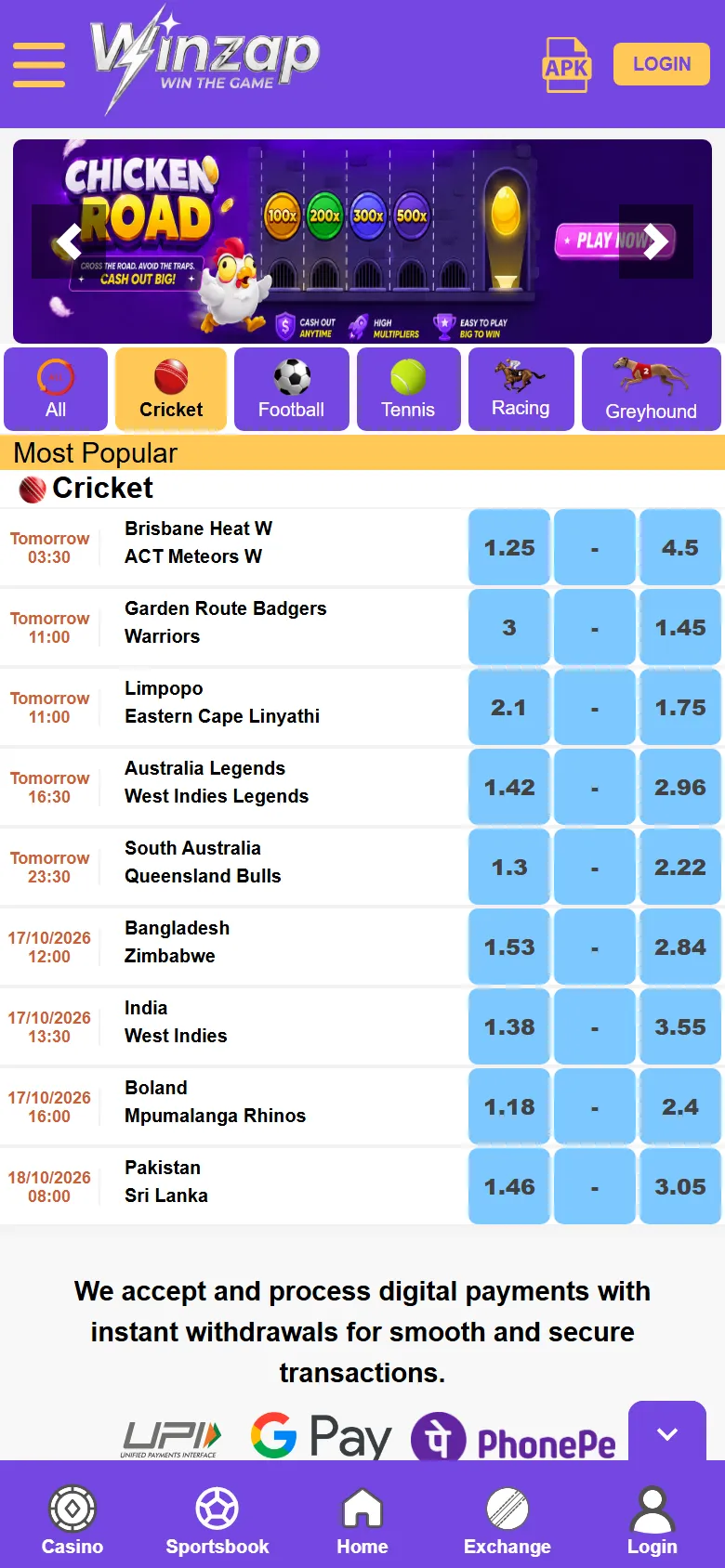
The most popular cricket matches are listed with the date and time on the left, the two teams in the middle and the price boxes on the right: team A, the draw in the middle and team B.

The boxes in the list are blue Back prices. A dash means no price is available at the moment.

  1. 1Sport filters: Cricket is selected
  2. 2One match: date, teams and prices
  3. 3Price boxes: team A, draw, team B
Winzap in-play page on a phone with the Exchange tab and an in-play match highlighted123
Enlarge

Screen 2

In-play: matches happening now

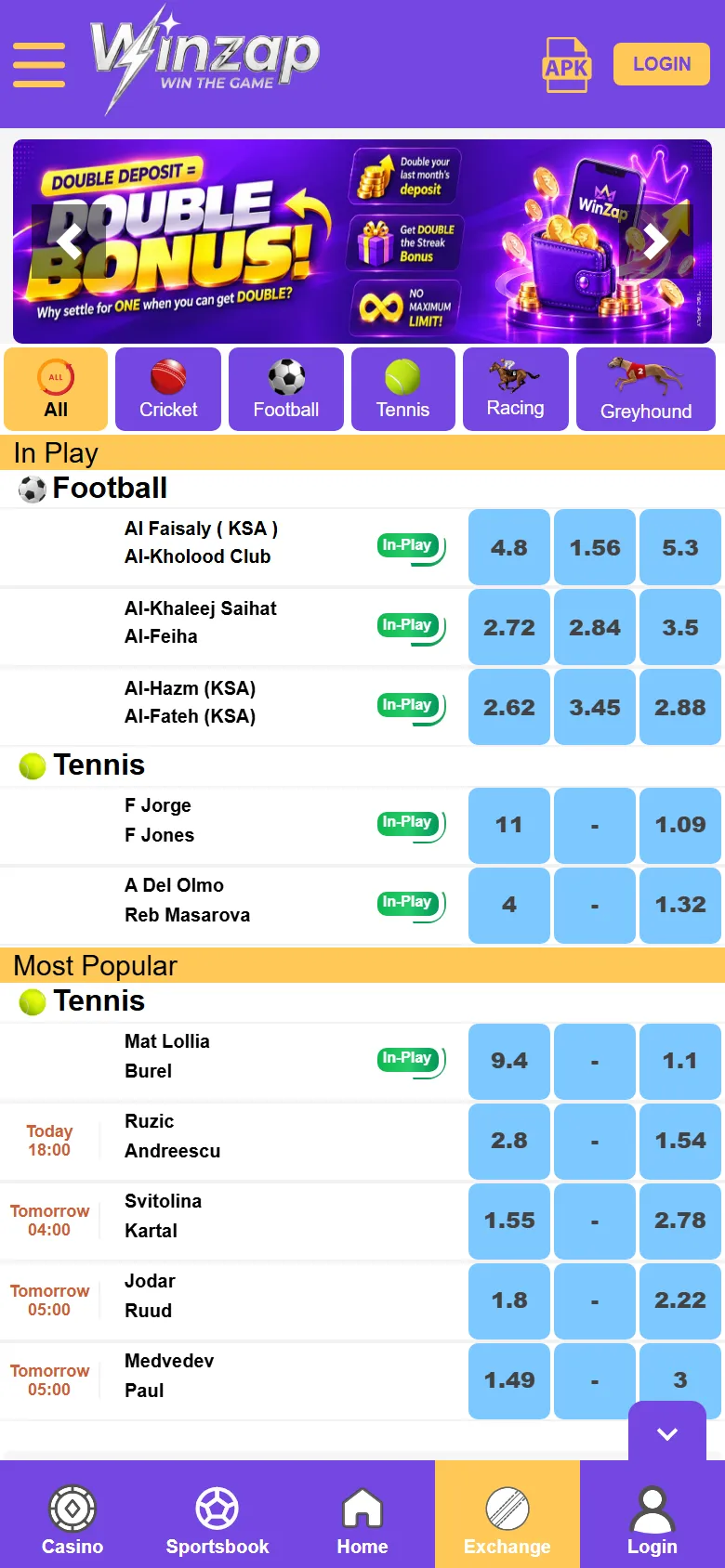
The In-Play list collects games that have already started. A small green In-Play tag marks a live match. The Exchange tab in the bottom bar lights up in yellow while you are here.

  1. 1Exchange tab, highlighted while you are here
  2. 2In-Play tag
  3. 3Prices for that match

Screenshots show winzap.vip at phone size (the Android app points to the same site). Matches, odds and offers change all the time.

FAQ

Questions about this part of the app

What do Back and Lay mean?

To Back is to bet that something will happen, for example that a team wins. To Lay is to bet that it will not. On winzap.vip blue boxes are Back prices and pink boxes are Lay prices.

Is the exchange only for cricket?

Cricket is the focus, but the strip of icons under the tabs also lists football, tennis and other sports.

Why are some boxes just a dash?

A dash means no price is available for that outcome at the moment.

Need help with Exchange?

Leave your name and phone number and our team will get back to you.

Contact Us
Winzap for AndroidOfficial file from winzap.vip Get the app