
Guide 8 of 8

Safety, permissions and updates

Any app you install deserves a quick safety check. We looked inside the Winzap APK file (without installing or running it) and list what it asks for, plus simple habits that keep you safe.

Responsible gaming Ask us a question

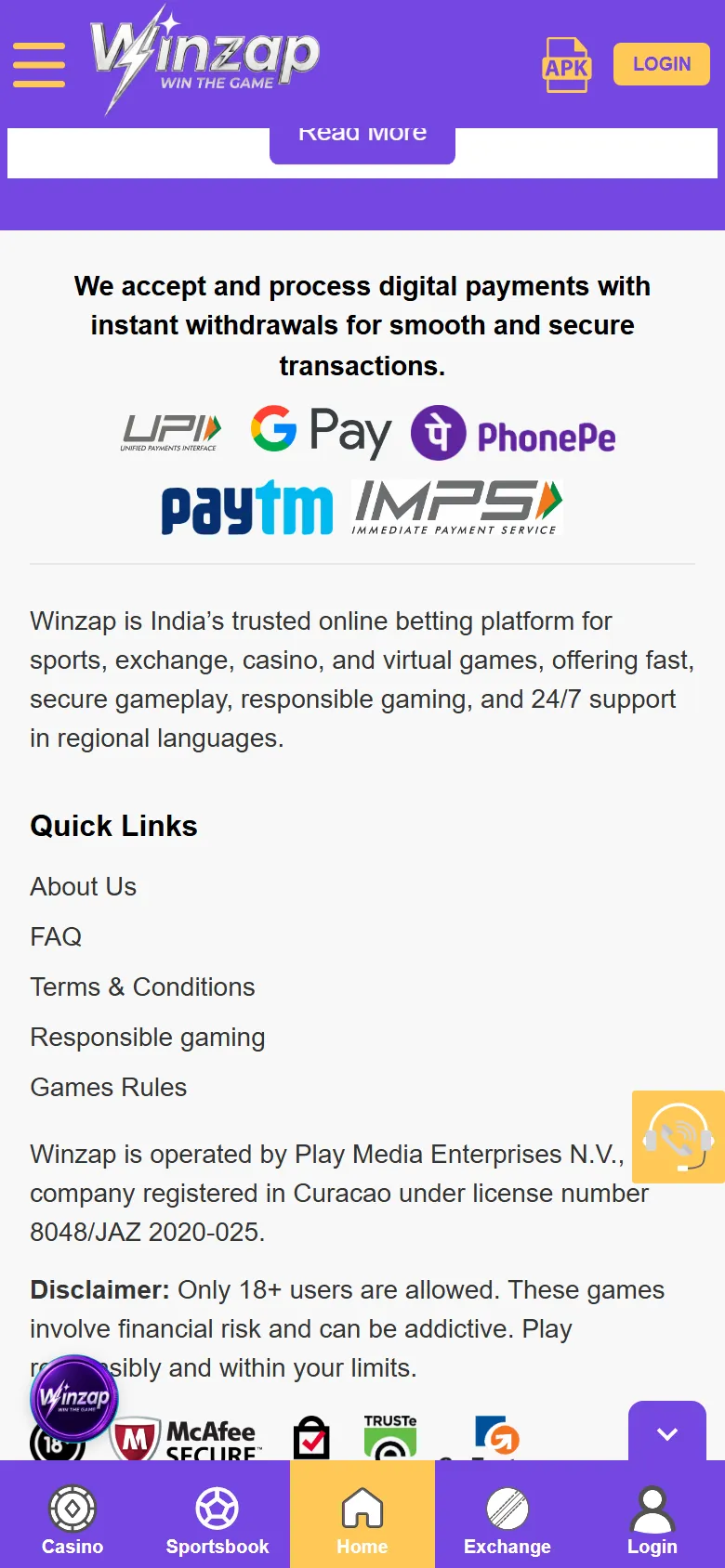
Bottom of the Winzap home screen on a phone with the operator note and the 18+ disclaimer highlighted

What you can do here

  • Check what permissions the app asks for and why
  • Compare the file you downloaded with the details we listed
  • Turn notifications off at any time in Android settings
  • Use the Responsible gaming page to set limits

Good to know

  • We read the file as outsiders. Winzap has not published a technical description, so “what it is for” is our best reading.
  • The file contains notification and analytics tools from Google Firebase and CleverTap. That is common for apps and means usage may be measured.
  • We did not find permissions for your camera, microphone, contacts, location or SMS in the file we checked.
  • A newer file may ask for more or less. Re-check if you update.

Step by step

  1. 1

    Download only from winzap.vip and check that the address is app.winzap.vip.

  2. 2

    Compare the file size with the one listed here (about 8.6 MB).

  3. 3

    Allow only the permissions you are comfortable with. You can change them in Android settings > Apps > Winzap.

  4. 4

    After the install, switch “Install unknown apps” off again for your browser.

  5. 5

    Keep Android and Google Play Protect up to date.

Bottom of the Winzap home screen on a phone with the operator note and the 18+ disclaimer highlighted12
Enlarge

Screen 1

The 18+ disclaimer and the operator note

The bottom of the home screen states who runs the site, the licence number it quotes and an 18+ disclaimer: these games involve financial risk and can be addictive.

Read it. A licence statement is the operator’s own claim; check what applies to you under the law where you live.

  1. 1Operator and licence note
  2. 218+ disclaimer: financial risk, can be addictive

What the app asks Android for

PermissionWhat it is for (our reading)
Internet and network stateLoad the Winzap site and check that you are online.
Post notificationsShow push messages. On Android 13 and newer the app has to ask you first.
Wake lock, foreground serviceLet background tools (such as notifications) finish their work.
Receive boot completedLet the notification tool start again after you restart the phone.
Advertising IDUsed by analytics tools to measure how people reach and use the app.
Google install referrerLets analytics see where an install came from.

Spotting a fake

  • The official file is linked from winzap.vip and hosted at app.winzap.vip.
  • Its package name is com.winz.app and, for the version we checked, it was about 8.6 MB.
  • Be careful with files named “winzap” from group chats, social media or unfamiliar websites.

Screenshots show winzap.vip at phone size (the Android app points to the same site). Matches, odds and offers change all the time.

FAQ

Questions about this part of the app

Does the app access my contacts, camera or location?

We did not find those permissions in the file we checked on 15 October 2026. The app declares internet, notifications and a few background permissions. A newer version could change that.

Can I turn notifications off?

Yes. In Android settings > Apps > Winzap > Notifications.

How do I update the app?

We could not confirm an in-app updater. When winzap.vip offers a newer file, download it from the official site and install it over the old one; Android normally keeps your data when the same app is updated. Check the site for current instructions.

Is it legal where I live?

Rules about online betting differ by country and state and have changed in recent years. In India, for example, the Promotion and Regulation of Online Gaming Act 2025 restricts online money games. You are responsible for checking the law where you are.

Need help with Safety?

Leave your name and phone number and our team will get back to you.

Contact Us
Winzap for AndroidOfficial file from winzap.vip Get the app