Guide 1 of 8

Download and install the Winzap Android app

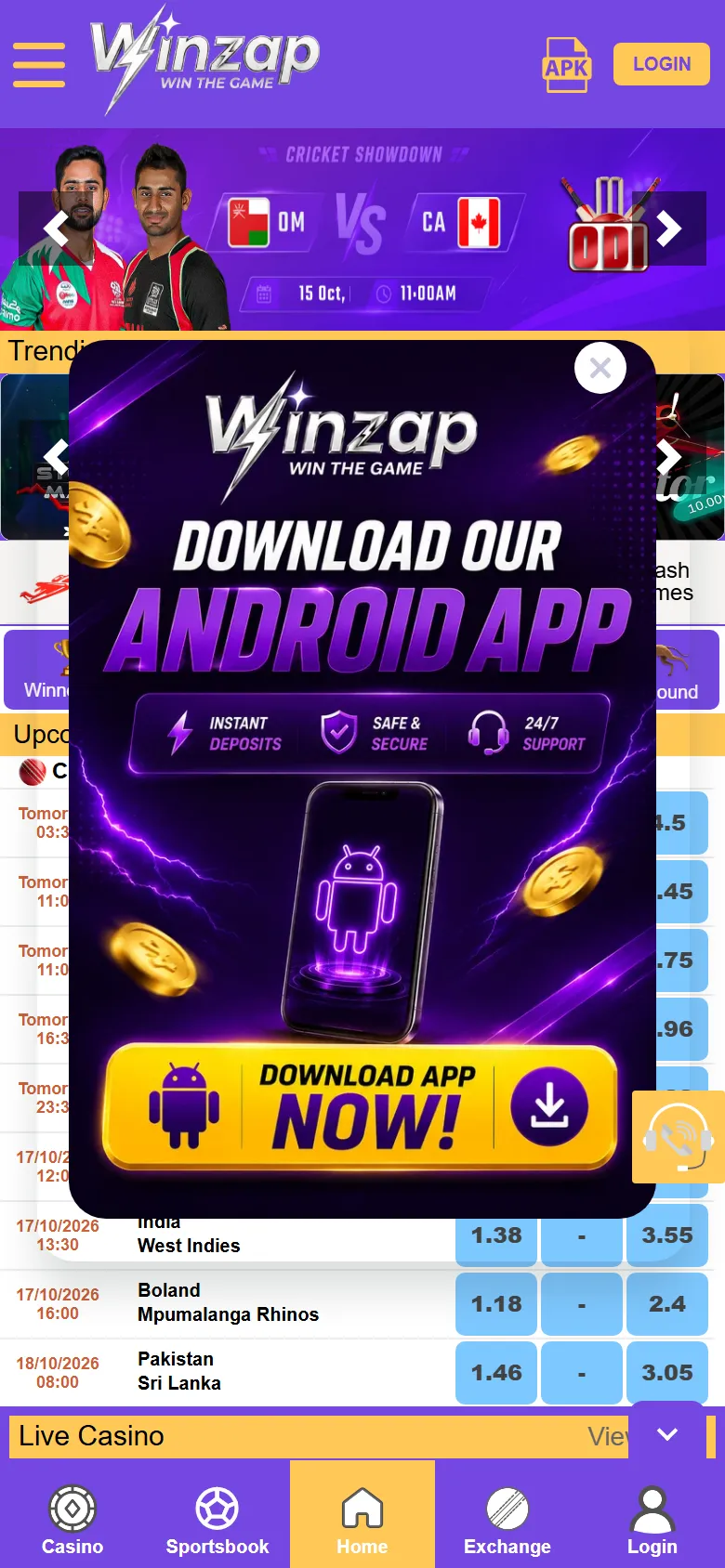
Winzap offers its Android app as an APK file straight from winzap.vip. You will see the orange APK icon in the top bar and a yellow DOWNLOAD APP NOW! button in a pop-up when you first open the site. Both start the same download.

Get the app at winzap.vip Ask us a question

Winzap pop-up on a phone with the yellow Download App Now button highlighted

What you can do here

  • Install the Winzap app on any Android phone running version 7.0 or newer
  • Get an icon on your home screen that opens Winzap in one tap
  • Receive notifications from Winzap if you allow them
  • Use the same account and the same areas as on winzap.vip

Good to know

  • Download only from winzap.vip. A file with the same name from anywhere else can be fake.
  • The app is not on Google Play, so Android shows an “unknown apps” warning the first time.
  • The file we checked is about 8.6 MB and its package name is com.winz.app.
  • There is no iPhone app on winzap.vip. On an iPhone use the website in Safari.

Step by step

  1. 1

    Open winzap.vip in the browser on your Android phone.

  2. 2

    Tap the APK icon in the purple top bar, or the yellow DOWNLOAD APP NOW! button in the pop-up.

  3. 3

    Wait for winzapvip.apk to finish downloading, then tap Open (or open it from your Downloads folder).

  4. 4

    If Android blocks it, tap Settings and allow installs from this source, then go back and tap Install.

  5. 5

    Tap Open, allow notifications if you want them, and log in.

  6. 6

    Afterwards switch “Install unknown apps” off again for your browser.

Winzap pop-up on a phone with the yellow Download App Now button highlighted123
Enlarge

Screen 1

The “Download our Android app” pop-up

When you first open winzap.vip on a phone, a dark purple pop-up invites you to download the Android app. It lists three promises: instant deposits, safe and secure play and 24/7 support.

The big yellow DOWNLOAD APP NOW! button starts the download of winzapvip.apk. Use the X in the corner if you only want to browse.

  1. 1DOWNLOAD APP NOW!: starts the APK download
  2. 2The three promises the pop-up makes
  3. 3X: close the pop-up and keep browsing
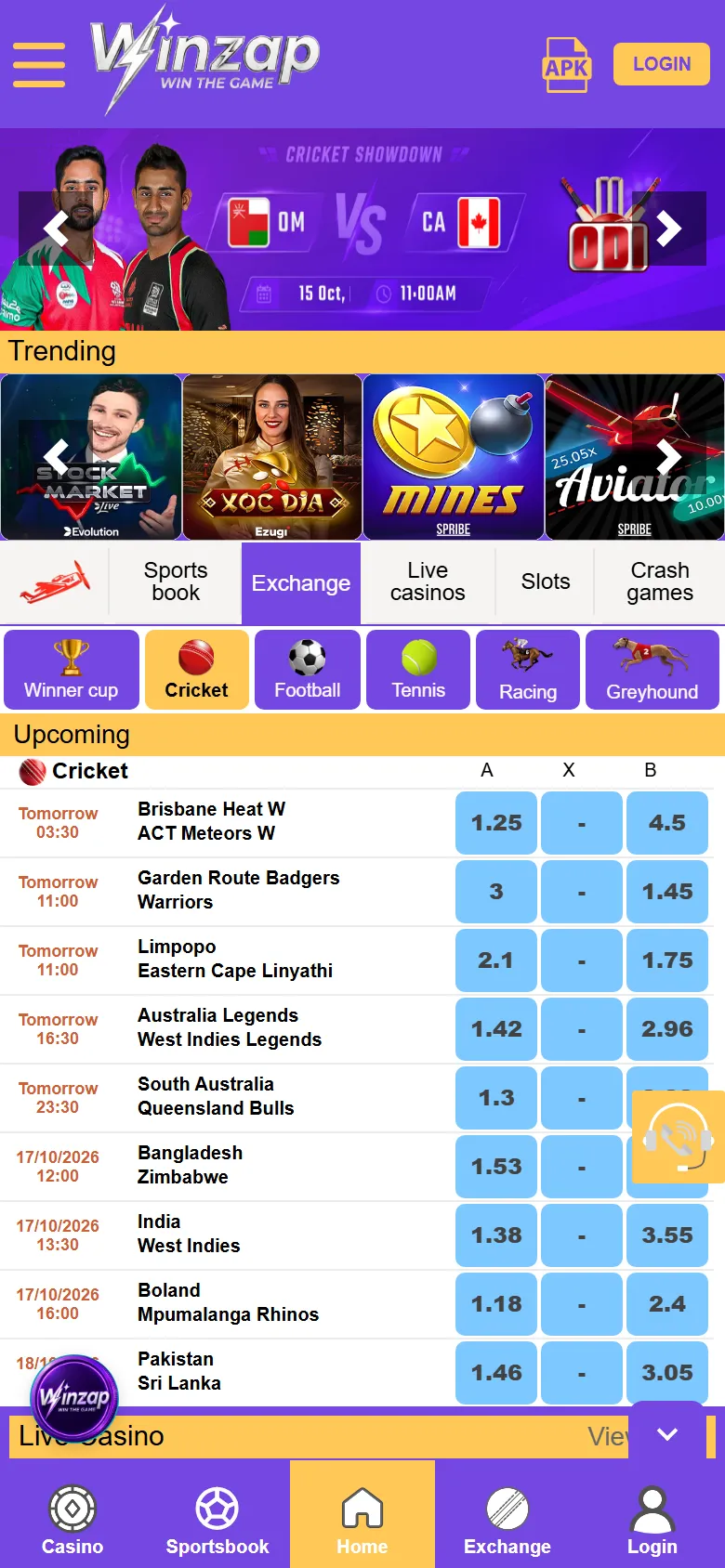
Winzap home screen on a phone with the orange APK icon highlighted in the top bar123
Enlarge

Screen 2

The APK icon in the top bar

Closed the pop-up? The same download is always available from the orange file icon marked APK, next to the gold LOGIN button, on every page.

On the left, the three-line icon opens the menu. The Winzap logo in the middle takes you home.

  1. 1APK icon: tap to download the Android app
  2. 2LOGIN button, right next to it
  3. 3Menu icon
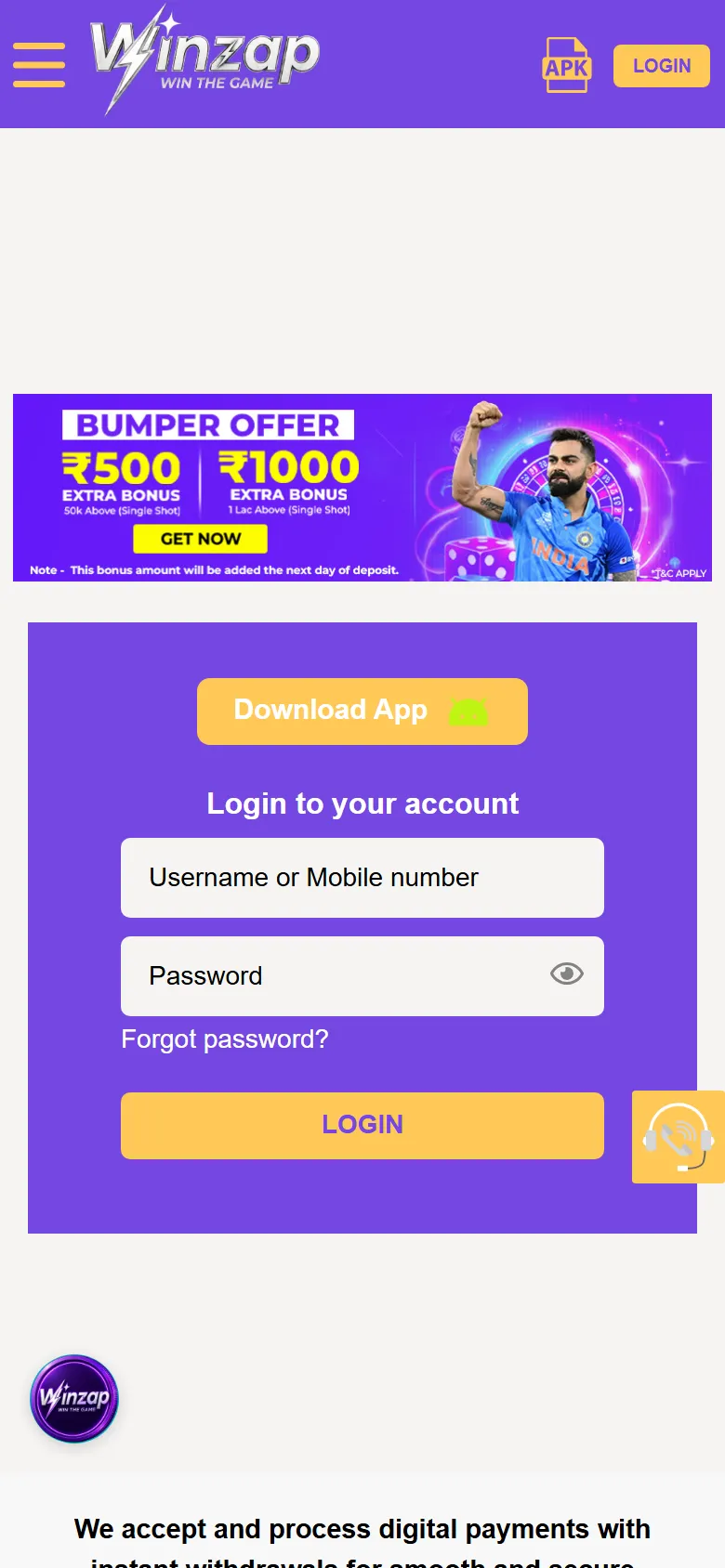
Winzap login page on a phone with the gold Download App button highlighted1
Enlarge

Screen 3

A Download App button on the login page too

The login page has its own gold Download App button above the sign-in form, so you can fetch the app even when you came straight to the login screen.

  1. 1Download App: the same APK file

The file at a glance

Package namecom.winz.app
Version1.0 (build 2)
SizeAbout 8.6 MB (9,069,759 bytes)
Android needed7.0 or newer
Hosted atapp.winzap.vip (linked from winzap.vip)
Checked on15 October 2026

If Winzap publishes a newer file these numbers will change. Compare the address and the size before you install.

Screenshots show winzap.vip at phone size (the Android app points to the same site). Matches, odds and offers change all the time.

FAQ

Questions about this part of the app

Is the Winzap app on Google Play or the App Store?

We found no store link on winzap.vip. The site offers the app as an APK file from app.winzap.vip. If you see a “Winzap” app in a store, check who published it before installing.

Is it safe to install an APK?

An APK from the official site is how Winzap distributes the app, but apps installed from outside a store carry more risk than store apps. Download only from winzap.vip, check the address, keep Android up to date and never share your password or OTP. Switch “Install unknown apps” off again afterwards.

Why does Android show a warning?

Android warns about any app that does not come from a store. The warning is normal for APK files. It is your cue to be sure the file came from the official site.

Will it work on my phone?

The file we checked needs Android 7.0 or newer. Most phones sold in the last several years qualify. It is not made for iPhone.

The pop-up covers the page. How do I close it?

Tap the X at the top right of the pop-up. The APK icon in the header stays available at any time.

Need help with Install?

Leave your name and phone number and our team will get back to you.

Contact Us
Winzap for AndroidOfficial file from winzap.vip Get the app